

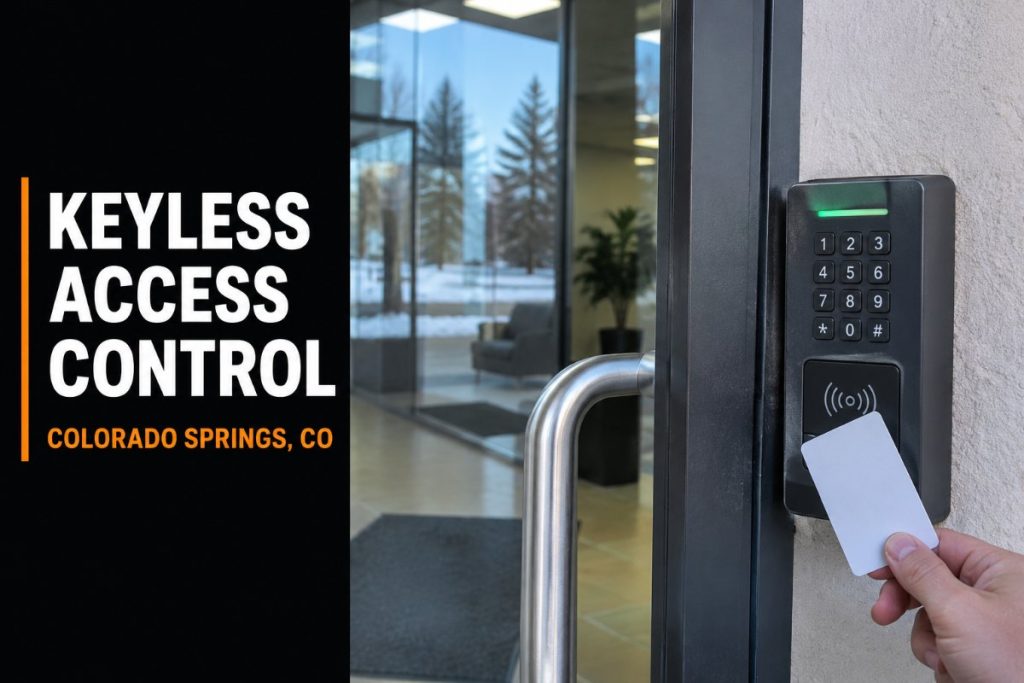
Every time an employee leaves a small business in Colorado Springs, the same question comes up: who still has a key? For a shop on Tejon Street, a dental office near Memorial, or a warehouse off Platte Avenue, keyless access control answers that question for good. Instead of keys, people use a code, a card, a fob or a phone, and you decide who gets in and when.
Direct answer: Keyless access control replaces keys with codes, cards, fobs or phone credentials. You add and remove users without rekeying, set schedules for each door, and see who entered and when. For small businesses, a simple system on the front door and a few key interior doors is often enough to start. Call (719) 785-0078.
Key takeaways
- ✓Remove a former employee in seconds instead of rekeying every lock.
- ✓Set schedules so doors only open for the right people at the right times.
- ✓See an entry log for every door on the system.
- ✓Start with one or two doors and add more as the business grows.
This guide explains the main types of keyless access control, how to choose, what installation involves, and common mistakes to avoid. For the service itself, see our access control system installation in Colorado Springs.
Types of Keyless Access Control
1. Standalone keypad locks
A keypad lock on a single door with its own codes. Simple and affordable, good for a back door, a storage room or a small office.
2. Card and fob systems
Each person carries a card or a fob. Readers at each door connect to a controller, and you manage users from one place. Lost cards are deleted, not rekeyed.
3. Cloud based systems
Managed from a web dashboard or an app. You can add users, unlock doors remotely and review logs from anywhere. Popular with businesses that have more than one location.
4. Phone credentials
Employees use their phone as the key. Fewer cards to lose, and easy to manage for teams that already use company phones.
5. Biometric readers
Fingerprint or face readers for high security rooms. See our biometric lock installation page for more.
| Option | Best for | Main benefit |
|---|---|---|
| Standalone keypad | One or two doors | Simple codes, no wiring to a server |
| Card or fob system | Offices and shops with staff | Delete lost cards, schedules, logs |
| Cloud based system | Multiple doors or locations | Manage from anywhere |
| Phone credentials | Teams with company phones | No cards to lose |
| Biometric reader | Server rooms, pharmacies, storage | Credential cannot be shared |
How to Choose Keyless Access Control for Your Business
- Count your doors: front entrance, back door, offices, storage, server room.
- Count your users: staff, cleaners, contractors, managers.
- Decide on schedules: should doors unlock during business hours, or only open with a credential?
- Think about logs: do you need to know who entered a room and when?
- Plan for growth: choose keyless access control that can add doors later.
Fire and life safety: doors on the path of exit must let people leave freely. Access control should control who comes in, not trap anyone inside. Your installer should follow local fire code and the requirements published by the National Fire Protection Association.
What Installation Involves
1. Site survey
We look at each door, the frame, the existing hardware and where power and network connections are available.
2. Door hardware
Most systems need an electric strike, a magnetic lock or an electrified lockset. We install the right one for each door. Learn more about electronic strike installation and magnetic lock installation.
3. Readers and controllers
We mount the readers or keypads and connect them to the controller or the cloud system.
4. Setup and training
We set up users, schedules and door groups, and show you how to add and remove people.
5. Test
We test every credential, every schedule and the free exit on every door.
Planning keyless access control for your business?
Common Mistakes to Avoid
- Installing keyless access control on the front door but leaving the back door on an old key that half the staff copied.
- Sharing one code with everyone. You lose the log and the ability to remove one person.
- Skipping the door closer. A door that does not close fully will not lock. See our automatic door closer installation.
- Forgetting a backup plan for power outages. Choose fail safe or fail secure hardware based on the door.
- Buying hardware online that does not fit commercial doors and frames.
Ready to stop rekeying every time someone leaves?
Our insured and certified commercial locksmiths design and install keyless access control for small businesses across Colorado Springs. We give a clear quote before we start.
Keyless Access Control and Your Existing Locks
You do not have to change every lock at once. Many businesses start with keyless access control on the main entrance and keep high security keyed locks on interior doors. Over time, more doors join the system. When you keep keys on some doors, a master key system and controlled key copies keep them under control. Our security lock upgrade service can help with both.
If you are also looking at smart locks for an office or a short term rental, our smart lock installation page covers those options.
Colorado Springs Considerations
Doors in Colorado Springs face wide temperature swings, strong sun at high altitude and blowing snow. Outdoor readers and keypads should be rated for cold and UV exposure, and battery powered locks need fresh batteries before winter. Door alignment matters too: a door that shifts with the seasons can stop an electric strike from releasing or locking. We check alignment as part of every keyless access control installation.
Keyless Access Control by Business Type
Retail shops: a keypad or card reader on the back door and the stock room keeps product secure, while the front door stays on its storefront lock and schedule.
Medical and dental offices: keyless access control on records rooms and medication storage helps limit access to the right staff and records who entered.
Restaurants: codes for opening and closing shifts mean managers do not need to hand keys to every new hire, and the back door can stay locked during service.
Warehouses and shops: card readers on overhead door entries and the office let you separate warehouse staff from office areas.
Property managers: cloud based keyless access control on common doors, gyms and mail rooms lets you add and remove residents without changing locks.
Questions to Ask Before You Hire
Ask whether the installer handles both the door hardware and the access control system, or only one part. Ask what happens if the internet or the power goes down, who manages users after installation, and whether the system can add doors later. Ask for a clear written quote that lists readers, door hardware, controllers and labor. A good commercial locksmith will walk your doors with you before recommending a system, because the right keyless access control setup depends on how your business actually uses each door.
Keyless access control is also easier to keep secure over time. With a log for every door and the ability to change credentials in minutes, a lost card or a departing employee is a simple update in the dashboard instead of a weekend of rekeying every door in the building.
Where We Serve
Discount Locksmith of Colorado Springs works from 110 1/2 N Tejon St, Suite #204, in Downtown Colorado Springs. We help with keyless access control and commercial locks across Downtown Colorado Springs, Old Colorado City, the Broadmoor area, Manitou Springs, Stratmoor, Cimarron Hills and nearby neighborhoods. Call to confirm your address. For all our business services, visit our commercial locksmith page.
Frequently Asked Questions About Keyless Access Control
What is keyless access control?
A system that uses codes, cards, fobs, phones or biometrics instead of keys, and lets you manage who can open each door.
Is keyless access control worth it for a small business?
For most small businesses yes, because you can remove a former employee without rekeying and see who entered each door.
Can I add access control to my existing doors?
Usually yes. Most doors can take an electric strike, a magnetic lock or an electrified lockset. We check each door first.
What happens if the power goes out?
It depends on the hardware. Fail safe hardware unlocks without power, fail secure stays locked. We help you choose for each door.
Can I manage keyless access control from my phone?
Yes, with a cloud based system. You can add users, unlock doors and see logs from an app.
Do employees still need keys?
Usually only managers keep a key for emergencies. Everyone else uses a code, card, fob or phone.
Can you install keyless access control on a glass storefront door?
Yes. We use hardware made for narrow aluminum storefront doors.
Does access control meet fire code?
When installed correctly, yes. Exit doors must always allow free exit, and we follow local fire code.
How many doors should I start with?
Many businesses start with the main entrance and one or two sensitive rooms, then add more doors later.
Which areas do you cover for keyless access control?
We cover Downtown Colorado Springs, Old Colorado City, the Broadmoor area, Manitou Springs, Stratmoor, Cimarron Hills and nearby business areas. Call to confirm your address.